Honest comparison
Is the Skylight Calendar worth it?
Short answer: it's a lovely screen — but you're paying $300+ for hardware and still typing every event in by hand. HappyParent HQ turns an iPad you already own into your family's command center — it reads your school & sports emails and turns them into a calendar and to-do list, automatically.
$0 hardware · 14-day free trial · cancel anytime
Tap a screen to enlarge
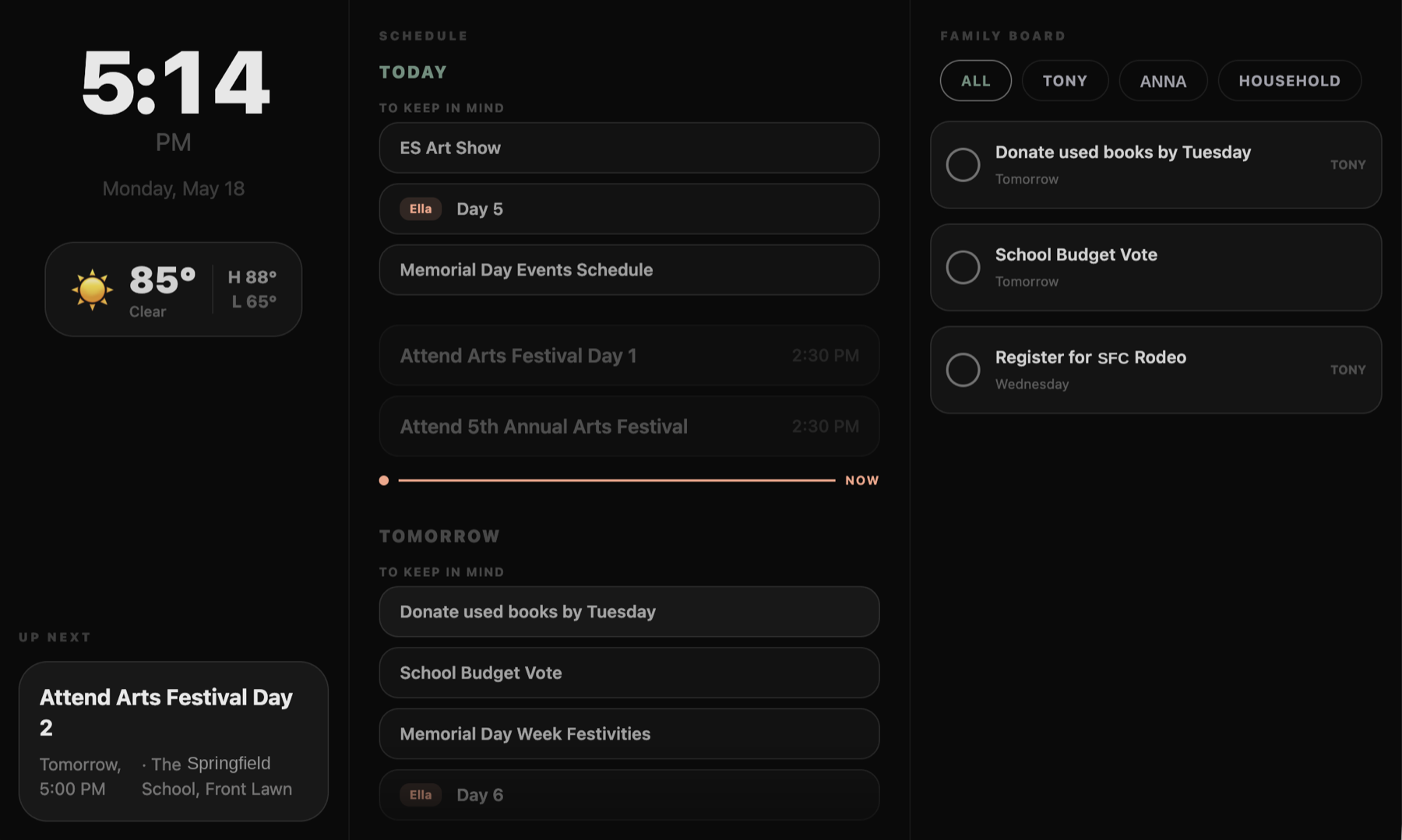
Turn any old iPad into this
Prop a tablet up in the kitchen and get an always-on family command center — schedule, weather, and everyone's to-dos at a glance. No $300 device required.
HappyParent HQ vs. Skylight Calendar
Same goal — a calendar the whole family can see. Very different price and a lot less typing.
Comparison based on Skylight's publicly listed features, August 2026. Skylight has its own strengths — a dedicated always-on touchscreen, free chore/list features, and phone support.
Already own a Skylight?
Keep it. HappyParent HQ reads your inbox, builds the school & sports calendar Skylight can't, and syncs it straight onto your display — so you can skip Skylight Plus and let us do the data entry.
See how to connect HappyParent to your Skylight →Bring the screen. We bring the brain.
Three steps, and your old iPad becomes the family's command center.
Connect your email
Sign in with Google. We read — never modify or send — and scan for school, sports, and activity messages.
We extract what matters
It reads each email and pulls out the dates, deadlines, permission slips, RSVPs and payments for you — no manual entry.
Prop up any tablet
Set it up as a family display on an old iPad, view it on your phone, or sync the calendar to a display you already have.
Questions
Do I need to buy any hardware?
No. HappyParent HQ runs on the iPad, tablet, phone, or computer you already own. Prop up a tablet you already own as an always-on family display — $0 hardware.
Is my email private?
Yes. We connect with Google's read-only access — we can never send, modify, or delete anything — and we never sell your data. Prefer not to connect at all? Every account comes with a private HappyParent forwarding address — just forward your school emails to it, no inbox access needed. See our Privacy Policy and Security page.
What does it cost?
Start with a 14-day free trial, then $7.99/month or $79.90/year. No device to buy. See pricing.
Can it work with my existing Skylight?
Yes. HappyParent HQ publishes a calendar feed of your auto-extracted school & sports events that a Skylight (or any calendar app) can subscribe to — so your Skylight shows the dates we find for you. Here's the step-by-step guide.
Switching from Cozi, Maple, or another family app?
Yes — especially if your app is shutting down. Maple closes Dec 31, 2026; here's how HappyParent HQ picks up the school-email & schedule side, with nothing to migrate. On Cozi? Read our honest Cozi comparison — including where Cozi still wins and how to keep it alongside us.
Skip the $300 hardware bill.
Turn the iPad in your drawer into a smarter family calendar — free for 14 days.
Get Started Free →